Steve's Blog

Cisco 7970, sccp and asterisk

I’ve been tinkering around with a Cisco 7970 IP phone. After spending 3-4 days of trying to get SIP working on this device, I gave up hope and started working with SCCP. The good news is that it worked straight away!

Using Asterisk 1.6.2.17 and the greatly improved chan-sccp-b project, the majority of the features work out of the box.

While the concepts of sccp are a lot different than using separate SIP accounts, sccp is much more like standard phone system operating on lines instead of accounts. If you are struggling getting one of these devices working on Asterisk via SIP - save yourself the hassle and get it running using SCCP!

Home is IPv6 enabled!

Well, it took a few days to figure out how, but just about everything at home is now IPv6 enabled :)

I’m using a 6to4 gateway that tunnels every ipv6 packet to the anycast gateway at 192.88.99.1. Thankfully, my local gateway resides within PIPE Networks - which means most of the ipv6 traffic comes up as free on my ISPs plan!

The final touches were added today with fully functional DNS - I wonder how long it will be until I get my first email via ipv6 ;)

WOPR desktop wallpaper

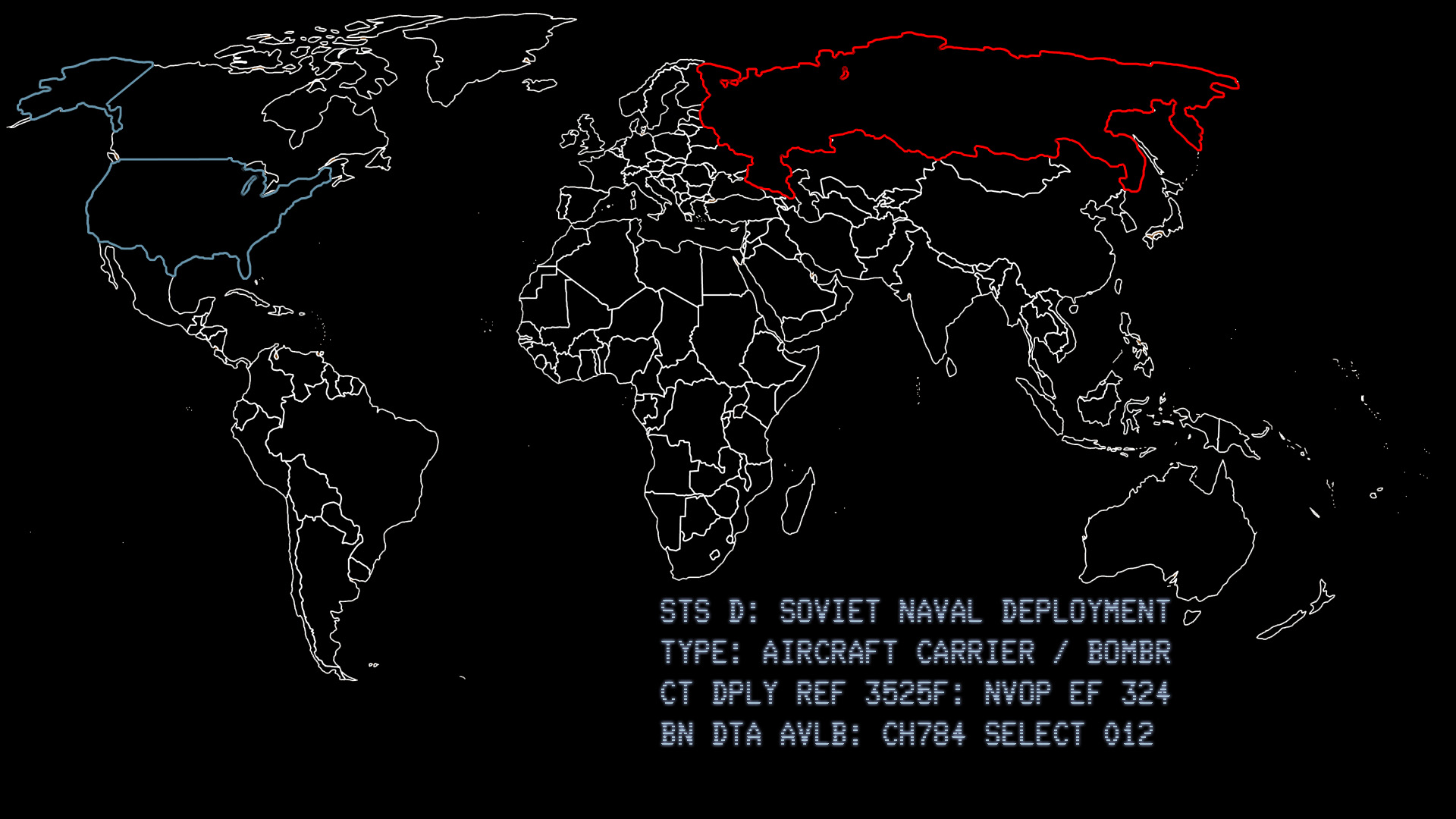
Ok, so I admit it - I love the movie War Games. I recently built a new PC and on it went 3 x 23” LCD screens running 1920x1080. My girlfriend noted that it looks like ‘the computer from that movie’. I knew she was talking about. She was talking about the WOPR - which became the name for this new machine. She has now inherited the Mac Pro known as Enigma.

I hunted around for a bit and couldn’t find a suitable background to use for this and came up empty. So I created my own. It’s attached for anyone else that would like to use it.

It’s native at 1920x1080 resolution and should hopefully bring back a few memories :)

For those of you lucky enough to have 3 x widescreens - here is the whole thing stitched together…

Asterisk and Australian Reverse Caller ID Lookup

It’s been a while since my original script to use greypag.es for Australian caller ID lookups and since the online database disappeared, my script went into the archives.

Now its back.

Thanks to the API functions offered by Reverse Australia we can now have caller ID lookups back in Asterisk!

You’ll need a few things to achieve this:

  1. Obviously a Linux PC running Asterisk
  2. Asterisk::AGI Perl module
  3. LWP::UserAgent perl module (should be included with your distro)
  4. A running MySQL Database
  5. My cid-lookup-v4.agi script.

Setup the MySQL Database with a table called ‘cid’ and two fields called ‘name’ & ‘number’. We use this to store unidentified inbound callers as well as cache looked up details from Reverse Australia. This means you can go edit the details later and have them show as you want rather than as unknown or the content returned from Reverse Australia.

Setup is VERY basic. Throw cid-lookup-v4.agi into your agi-bin directory, then place AGI(cid-lookup.agi) in your extensions.conf where you process incoming calls.

You will need to edit the script and change the setup for your MySQL database - as well as add the Reverse Australia API key.

Looking up calls online is optional.

This has been tested with the following configurations:

  • CentOS 5.5 with perl-LWP-UserAgent-Determined from rpmforge.
  • Fedora 14 with stock F14 perl-LWP-UserAgent-Determined package.

If you use CentOS, it is much easier to use the prebuilt perl packages from rpmforge. If you use CentOS, save yourself the heartache and use rpmforge for perl modules!

Touch Pro 2 updates

As an update to a few previous posts, I decided to give HTC some credit where it is due.

HTC organised Fedex to come and pick up my Touch Pro 2 (after some confusion about the actual pickup date) and ship it off to HTC Singapore. While I was still annoyed that it had to travel to Singapore, the fact that HTC was going to pick up the tab for shipping - as well as sending it international priority (26 hours doorstep to doorstep!) made up for it.

I was expecting that my phone would be out of action until 2011 - however to my surprise, less than a week later I had a delivery from Fedex with my repaired Touch Pro 2. Later that day I even got a phone call from HTC to confirm that I had received it! Most of the issues seem to be fixed - some weren’t but are minor enough to ignore.

I have to say thank you to Francis from the HTC Australia call centre (I think he is in the Philippines?) for organising a lot of this. If this level of service was standard from HTC then I would have been singing their praises instead of almost converting to an iPhone guy.